
Your Book Deserves the Look of a Big Publishing House
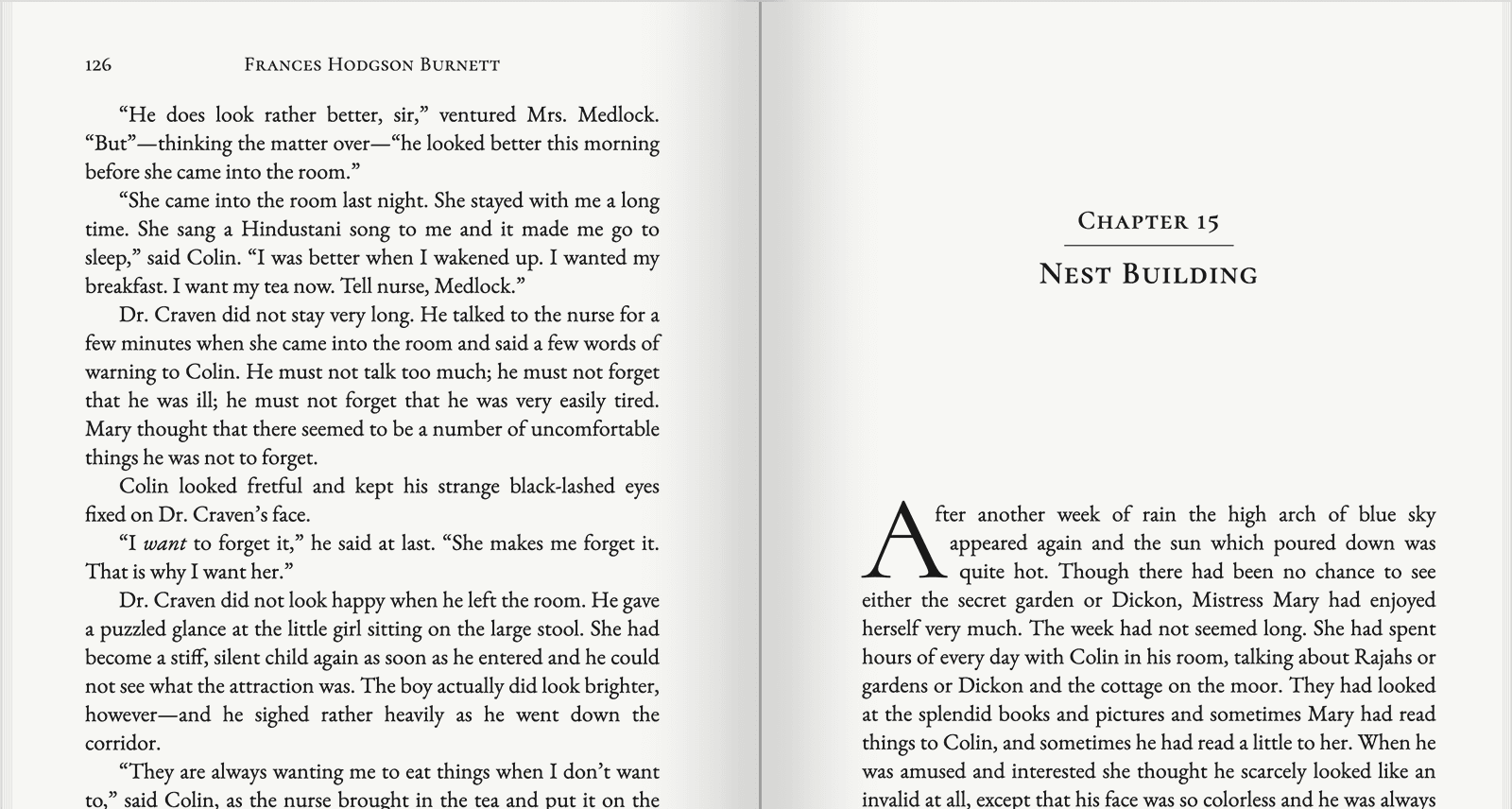
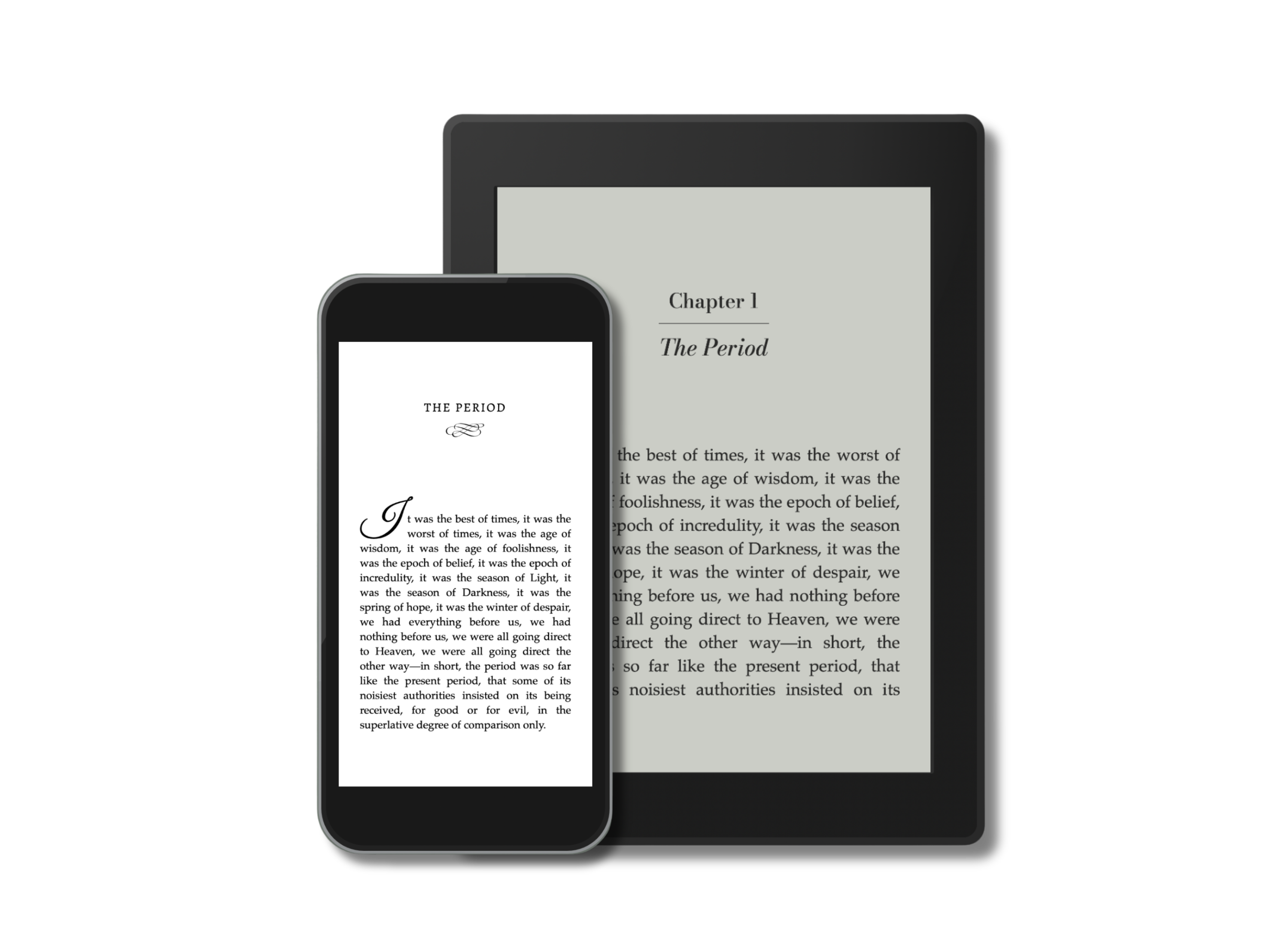
Professional interiors for self-published authors,
ready to upload to Amazon KDP and IngramSpark.
What's Included
Everything included. Nothing extra to buy.
Print-ready layout
Margins, headers, page numbers, and chapter breaks set to KDP and IngramSpark specs. Supports 5×8, 5.5×8.5, 6×9, and more.
ePub + print PDF
Both file formats included in one flat rate: reflowable ePub for Kindle, Apple Books, and Draft2Digital, plus a print-ready PDF for KDP and IngramSpark.
Professional finishing
Drop caps, ornamental chapter breaks, copyright page, table of contents, and multilingual support. These are the details that make a book look real.
All of it, one price
Limited-time price · all taxes included
2-in-1, 3-in-1, and box set editions also available.
How It Works
-
1
Fill out the order form and upload your finalized .docx manuscript.
-
2
Complete payment securely via Stripe. All major cards accepted.
-
3
We get to work. Most books are formatted and ready within 5 business days. We'll reach out if we have any questions.
-
4
You receive your ePub and print-ready PDF, both formatted, both tested, and both ready to upload to KDP, IngramSpark, or wherever you're publishing.
What Authors Are Saying
You are the best! I will be doing a Bundle with this too, and will use your company. I am impressed!
Went through the whole thing and it looks great, seriously nice work.
I love how clean it all looks!
Interior Style Gallery
Your book's interior is the first thing a reader sees after the cover. These 10 styles are designed to look credible, clean, and distinctly not like a Word document. All included at the same flat rate. Pick the one that fits.
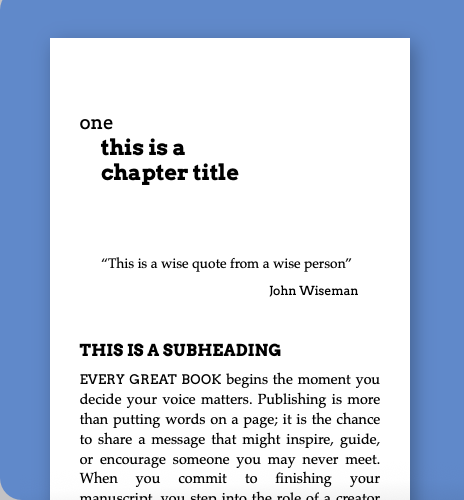
Cinder
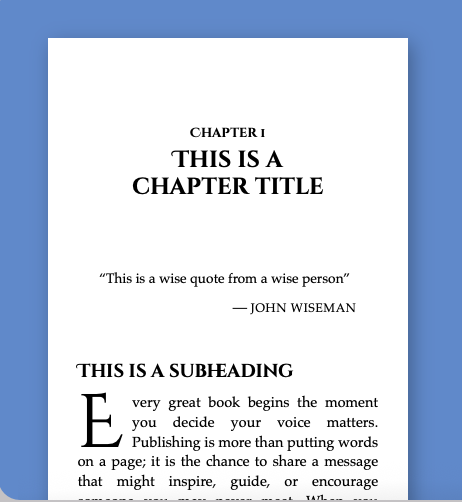
Edgewood
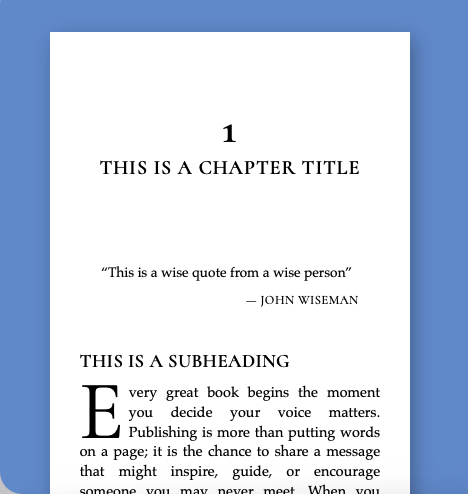
Hawthorn
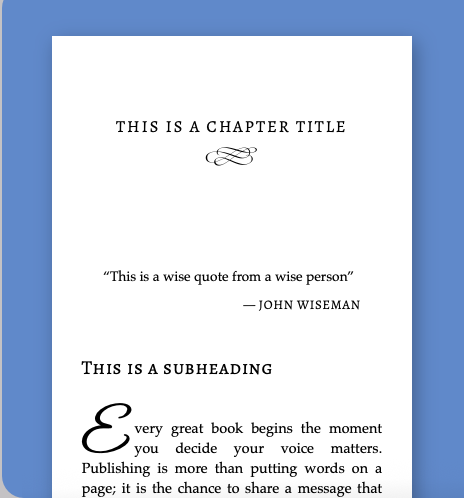
Kindred
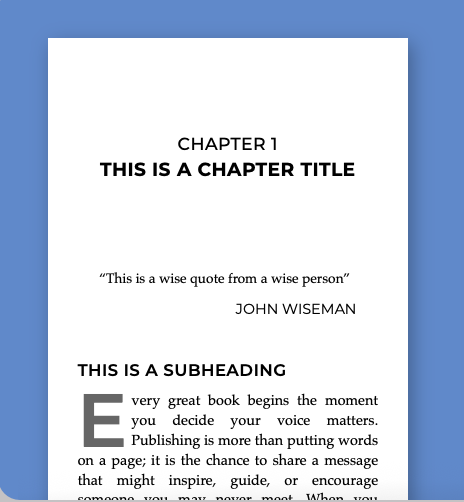
Metro
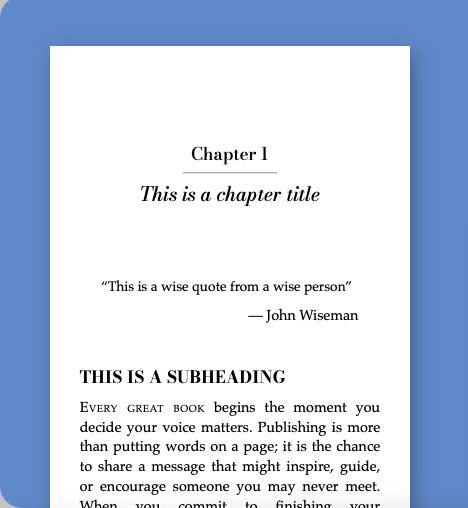
Recital
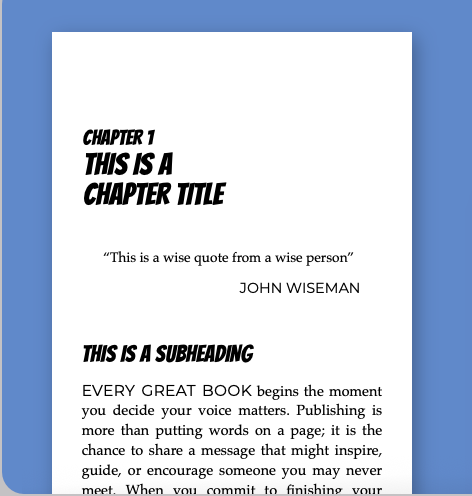
Rival
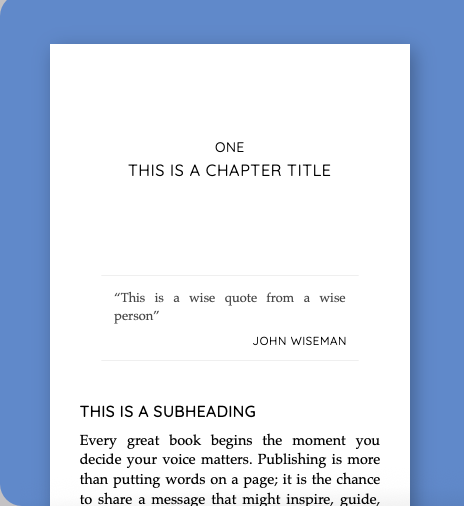
Trace
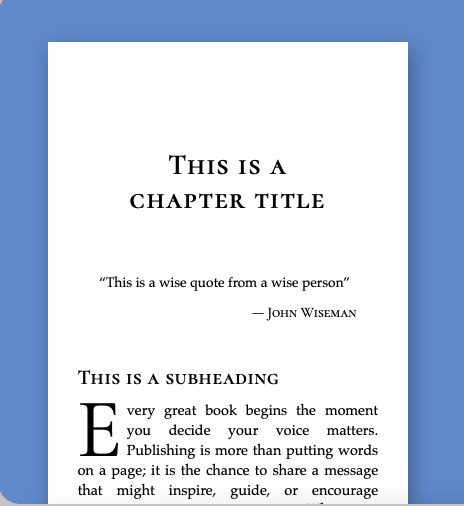
Venture
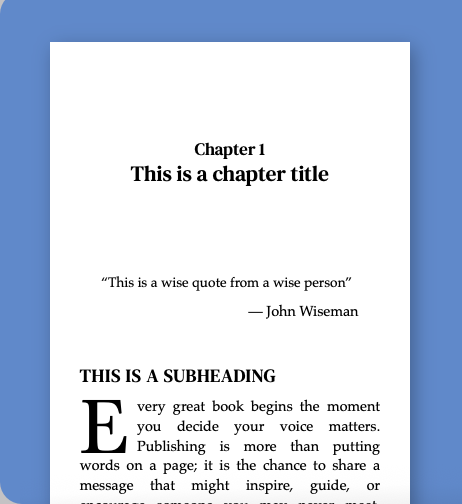
Zephyr
Click any style to view a larger preview in a new tab.
What Formatting Is — and What It Isn't
Formatting is the last step before publishing. It's about how your book looks on the page, not what the words say. Knowing the difference saves everyone time.
What we handle
- Page layout, margins, and trim size
- Chapter headings, drop caps, and section breaks
- Running headers and page numbering
- Table of contents, linked in the ePub
- Copyright page and front matter styling
- Export to ePub and print-ready PDF
What we don't
- Spelling, grammar, or punctuation corrections
- Rewriting, restructuring, or cutting content
- Fact-checking or continuity checks
- Cover design
- Uploading or publishing to KDP on your behalf
- ISBN registration
Those belong to a copy editor or proofreader, and they come before formatting. We format exactly what you send us.
Before You Order
Run through this first. If every box is true, your manuscript is ready and your book will come back clean.
The writing is finished and proofread. No edits still to come, and nothing waiting on a beta reader.
Chapters are in their final order. Nothing left to add, remove, merge, or move.
Paragraph breaks and spacing are how you want them. Scene and section breaks are your call, and we follow the file.
Images and tables are embedded in the .docx. Not sent separately or linked from elsewhere.
Notes to yourself are removed. No tracked changes, comments, or marketing notes left in the file.
Changing content after you submit means sending a revised manuscript, and the turnaround starts again.
Frequently Asked Questions
What file format should I send my manuscript in?
We format books from Microsoft Word files (.docx). If you wrote in Google Docs, export via File → Download → Microsoft Word (.docx). Your manuscript should be fully edited and finalized before submitting.
What trim sizes do you support?
We support 5″×8″, 5.5″×8.5″, 6″×9″, 7″×10″, 8″×10″, and 8.5″×11″. Need something different? Choose "Other" on the order form; most other sizes are available on request.
How do I know if my manuscript is ready to submit?
Your manuscript is ready when the writing is completely finished and fully proofread, all chapters are in their final order, and you have no remaining edits planned. Formatting is the very last step before publishing. Sending a manuscript that still needs changes can result in layout issues that require restarting the formatting process.
What files will I receive?
- ePub, formatted for Kindle, Apple Books, Draft2Digital, and most other eBook platforms. Readers see clean, reflowable text on any device.
- Print-ready PDF, sized to your chosen trim, with all margins set correctly for KDP and IngramSpark upload.
Should I edit before or after formatting?
Always edit first. Formatting is the very last step before publishing. Your manuscript should be fully proofread, with no chapters moving around, before you send it. If you make significant edits after formatting, the layout breaks and we'd need to start over.
What about revisions?
Your order includes up to two rounds of minor revisions: spacing fixes, formatting tweaks, small corrections. Revisions are typically completed within 7 business days. Because formatting is the final step, we recommend sending a fully finished manuscript.
How do I handle images, tables, or charts?
Embed images in the Word file before submitting. For complex tables or charts, supplying them as image files often works best. If you're unsure, include a note in your order and we'll advise. Watch a helpful tutorial on embedding images in Word.
What is your turnaround time?
Most projects are delivered within 5 business days. Highly illustrated or complex books may take a little longer. We'll let you know upfront if that's the case.
Questions before you order?
We usually respond within one business day.
Format My BookSecure checkout via Stripe · No account required